 where every customer is a vip.
Small improvements in how you use your computer can save a surprising amount of time.
Many people spend years working on computers without learning a few simple keyboard shortcuts that can make routine tasks faster and easier.
Whether you’re preparing an estimate, composing an email, or updating a customer document, these six shortcuts are worth knowing.
Copy and Paste Without Retyping
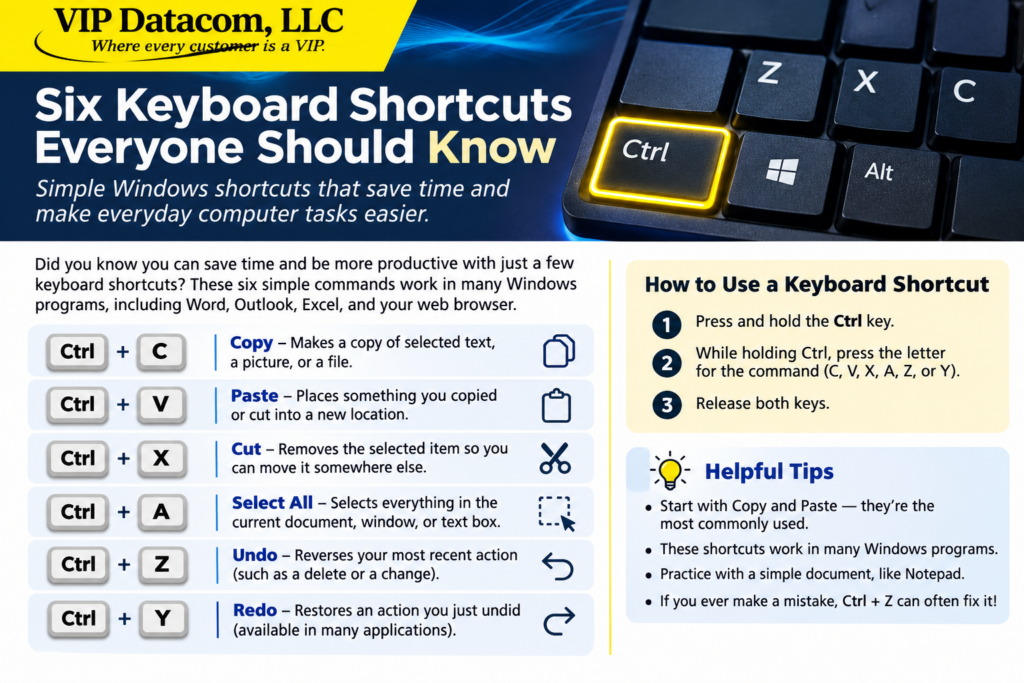
Ctrl + C — Copy
Highlight text, a picture, or a file, then hold Ctrl and press C. This copies the selected item without removing the original.
Ctrl + V — Paste
Click where you want the copied information to appear, then hold Ctrl and press V.
For example, instead of typing a customer’s address into three different documents, you can copy it once and paste it wherever it’s needed.
Move Information Instead of Recreating It
Ctrl + X — Cut
Suppose you’ve written a paragraph in the wrong section of a document. Highlight the paragraph and press Ctrl + X.
Then click in the correct location and press Ctrl + V.
You’ve moved the paragraph without retyping a single word.
Select Everything at Once
Ctrl + A — Select All
Want to change the font throughout a document? Or copy an entire page of text?
Click inside the document and press Ctrl + A to select everything in the active area.
Be careful: if you start typing while everything is selected, you may replace the selected text.
Correct Mistakes in Seconds
Ctrl + Z — Undo
Accidentally deleted a sentence? Changed the wrong formatting? Press Ctrl + Z.
In many programs, this reverses your most recent action. You can often press it repeatedly to undo several changes.
Ctrl + Y — Redo
Changed your mind after undoing something? In many Windows applications, Ctrl + Y restores the action you just undid.
Some programs use Ctrl + Shift + Z instead.
How Do You Press These Keys?
You don’t press the plus sign.
For example, to copy something:
Highlight the information you want to copy.
Press and hold the Ctrl key, usually near the bottom-left of your keyboard.
While holding Ctrl, press the C key once.
Release both keys.
That’s it!
Practice Makes Perfect
Open Windows Notepad, type a few sentences, and experiment with copying, pasting, cutting, and undoing.
There’s no need to memorize everything at once. Start with Ctrl + C and Ctrl + V. Once those become familiar, try the others.
Technology should make your work easier, not more complicated.
VIP Datacom has been helping businesses with telecommunications and technology since 1987. We provide nationwide business telephone services and onsite networking and technical support throughout the Dallas–Fort Worth area.
VIP Datacom, LLC — Where every customer is a VIP.
Six Keyboard Shortcuts That Can Make Your Workday Easier